triauth for DokuWikiOIDC
Let your team open DokuWiki with one approval on their own device, and no wiki passwords.
- Sign-in through
- OpenID Connect bridge
- Available in
- Every DokuWiki, with the oauth and oauthgeneric plugins
- Set up in
- Configuration Settings › Oauth and Oauthgeneric
About DokuWiki
DokuWiki is a wiki that stores pages as plain text files, so it runs on any web host without a database. Small teams use it for documentation, runbooks, and intranets. Signing in through an identity provider comes from two community plugins by the same author.
Connect DokuWiki to triauth
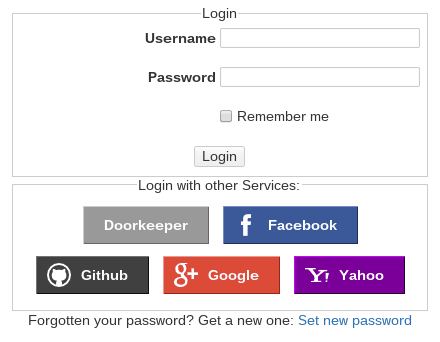
DokuWiki signs people in through the triauth OpenID Connect bridge, with the oauth plugin and its generic provider. Once connected, the login page shows a button with your domain's name under "Log in with other Services". People on your team click it, type their username, and approve on their own device. Nobody keeps a wiki password, and when someone leaves, removing their identity records at your domain ends their access to the wiki as well.
How it works
In Admin › Extension Manager, install the plugins oauth and oauthgeneric.
Open oidc.triauth.org and enter your domain. Paste the wiki's redirect address,
https://wiki.example.com/doku.phpwith your own wiki address in place ofwiki.example.com, and click Connect app. The bridge gives you a client ID and a client secret.In Admin › Configuration Settings, fill in the Oauthgeneric section with your domain in place of
example.com, then set authtype tooauthand turn on register-on-auth in the Oauth section. Save.Field Value key and secret the client ID and the client secret from the bridge authurl https://oidc.triauth.org/example.com/authorizetokenurl https://oidc.triauth.org/example.com/tokenuserurl https://oidc.triauth.org/example.com/userinfoauthmethod Bearer Header scopes openid,email,profile,groups,offline_accessneeds-state on json-user, json-name, json-mail, json-grps preferred_username,name,email,groupslabel example.comOpen the login page and click the button with your domain's name.
Checkpoint
DokuWiki's login page shows the button under "Log in with other Services". Choosing it opens a page from the bridge that asks for the username, and the person's authenticator asks them to approve.
Good to know
- Everyone with an identity at your domain gets a wiki account the first time they sign in, matched by email address when one exists. To let only one team in, limit the app to a group when you connect it.
- The groups published at your domain become wiki groups, merged with the local ones, or replacing them with overwrite-groups on.
- DokuWiki renews the sign-in through the bridge while a person works, and re-reads their groups each time. How often is set by auth_security_timeout, usually fifteen minutes. A failed renewal signs the person out, so a session follows the identity.
For the person who connects the app
| Setting | Value |
|---|---|
| Redirect address | the wiki's base address plus doku.php, shown read-only in the Oauth section of the Configuration Settings |
| Where in DokuWiki | Admin › Configuration Settings, sections Oauth and Oauthgeneric, after the two plugins are installed |
| Addresses | the three addresses go in one by one, as above, since the plugin does not read the discovery document. It takes the identity from the userinfo response over TLS and does not check the ID token |
| Client | DokuWiki keeps the client secret, so leave This app can't keep a secret unticked when you connect it on the bridge |
| Scopes | comma-separated in the field. offline_access is what lets the plugin renew the sign-in. A failed renewal, also one during a bridge outage, signs the person out until they click the login button again. logouturl stays empty, since the bridge has no sign-out endpoint |
The oauth plugin page and the oauthgeneric plugin page explain every setting.
Next steps
- Read the OpenID Connect bridge page for what every connected app gets and what the bridge keeps private.
- Read Roll out to your team to give everyone in your organization an identifier at your domain.
- Read Groups to publish teams and see them appear as wiki groups.
- Read the oauth plugin page for every setting the plugins offer.
All logos and trademarks belong to their respective owners and do not imply affiliation or endorsement of the organization or product by triauth, nor vice versa. The content provided on this page may include information from third-party sources. We do not assume any responsibility for the completeness, correctness, or applicability of the information. You should independently verify any details before relying on them.